PART 9: Drill, errors, battery
Part 9 covers drill, errors and battery. The calculator can train you in mental arithmetic. It then explains what the error codes mean, how large numbers can be, how to replace the battery, and the specifications.
▶ Watch this step in the video (1:59:37)
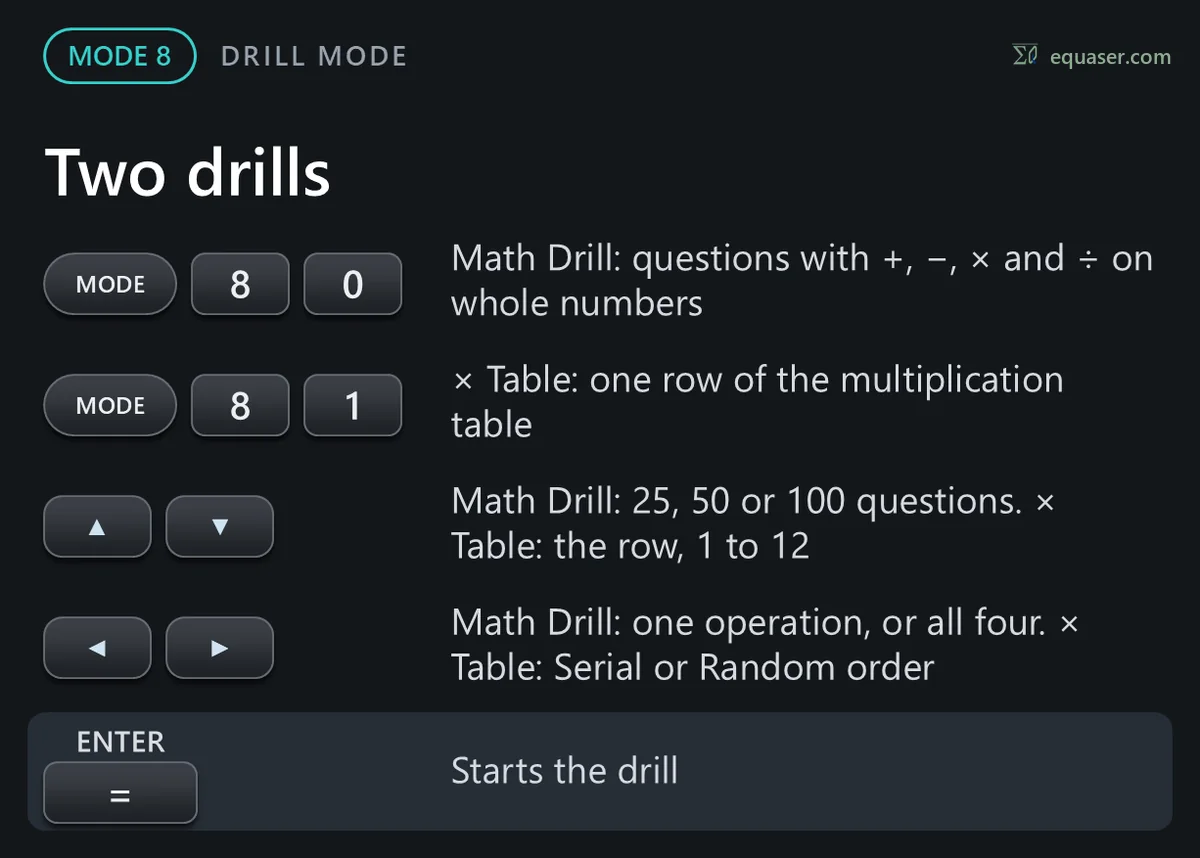
MODE 8 – DRILL mode
DRILL mode: press MODE, 8. Here the calculator asks the questions: arithmetic in Math Drill, and the multiplication table in Times Table.


Errors and ranges
This section covers errors and calculation ranges. After an error, the left or right arrow places the cursor where it happened, so you can correct the expression. ON/C, or 2nd F then CA, clears it.


LR44 – Battery and specifications
The battery and the specifications. The calculator runs on its solar cells, with one LR44 alkaline battery as a backup.


