PART 6: Simulation, solver, tables, equations
Part 6: simulation, solver, tables, and equations. 4 tools work on an expression: calculate it for many values, find where it is 0, list its values in a table, and solve equations.
▶ Watch this step in the video (1:11:30)
Simulation calculation
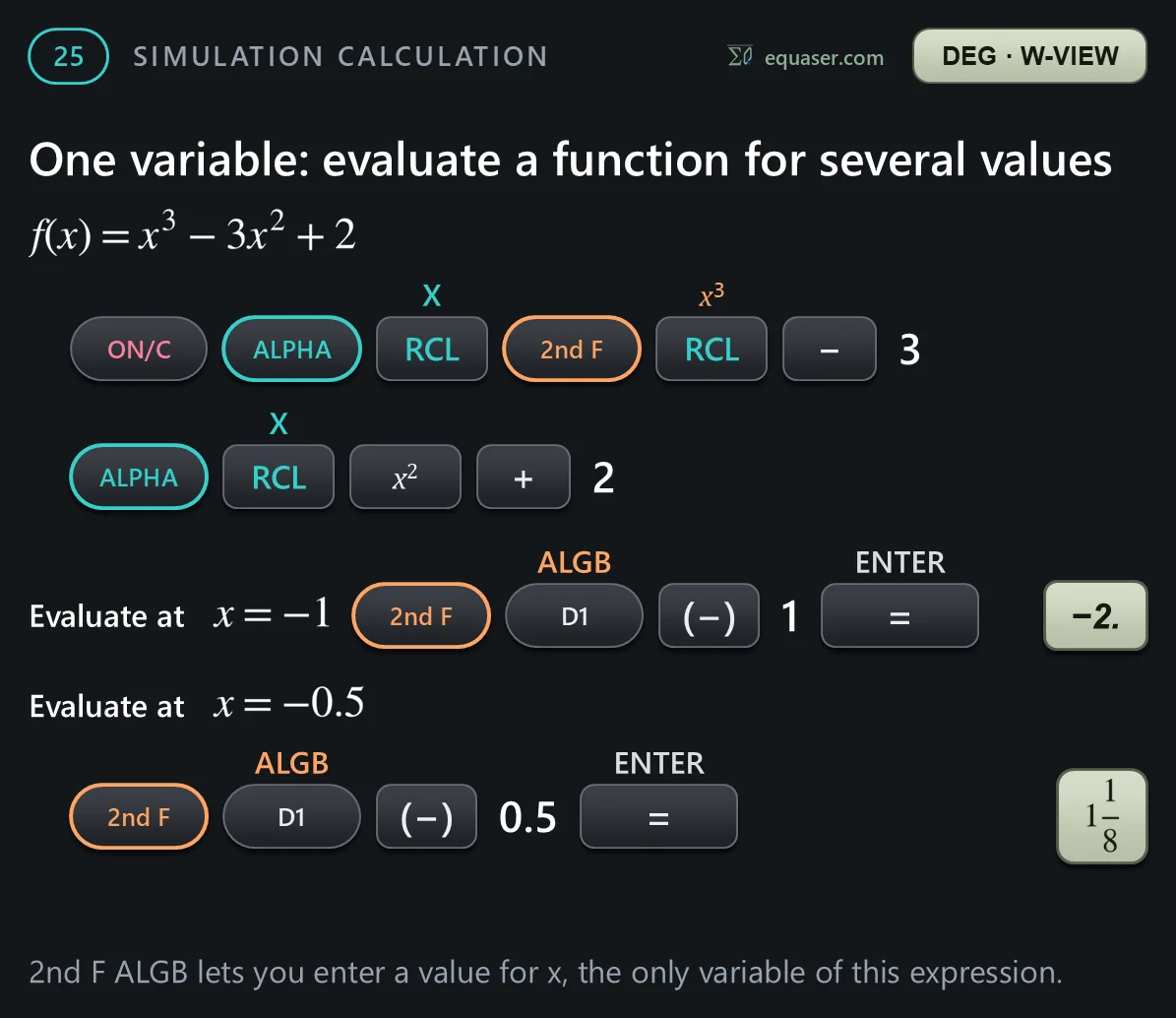
Example 25: simulation calculations. Type an expression with variables once, then give the variables new values as often as you like.



The solver
Example 26: the solver. It finds a value of x that makes an expression equal to 0, starting from a value you choose.


TABLE mode
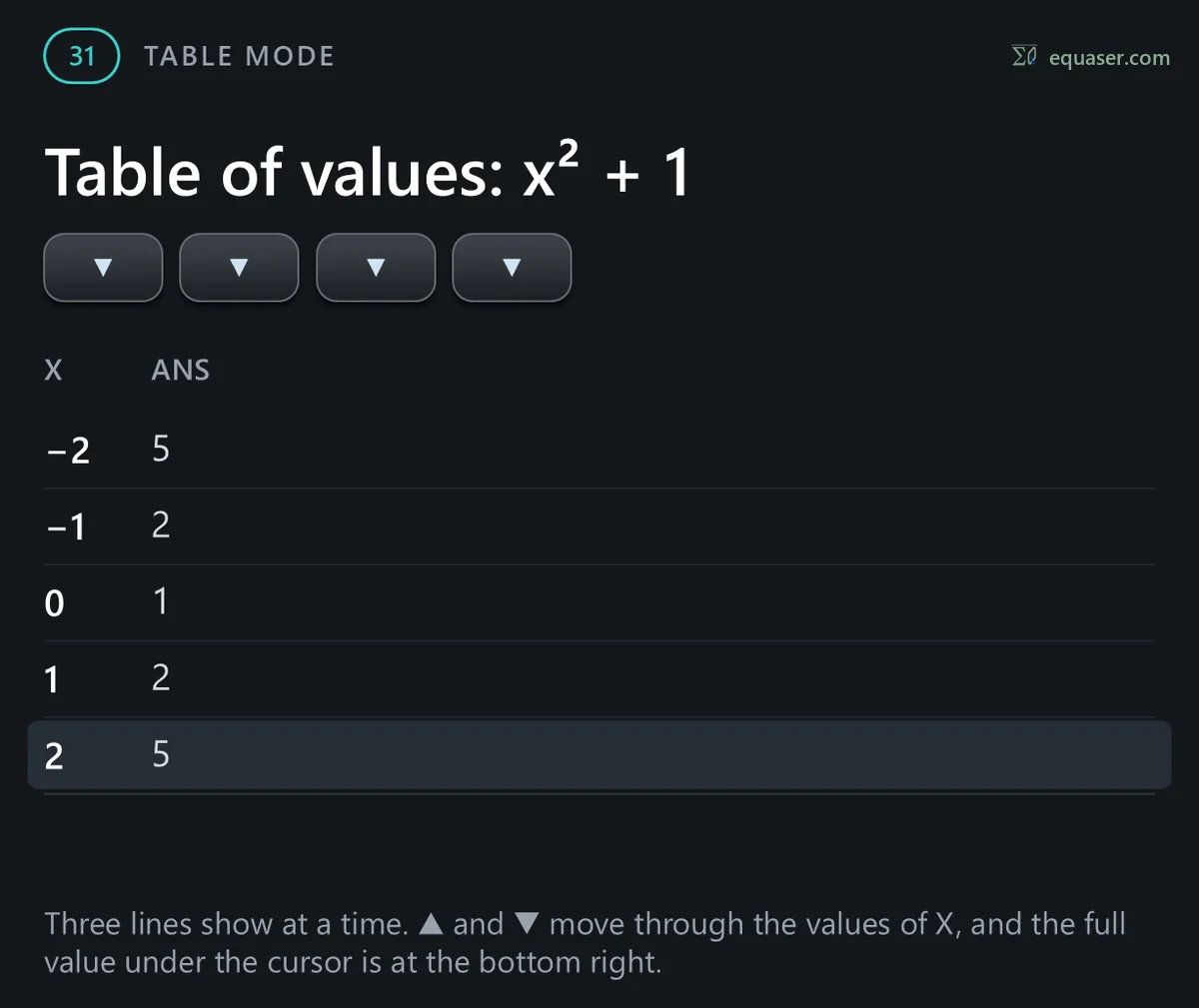
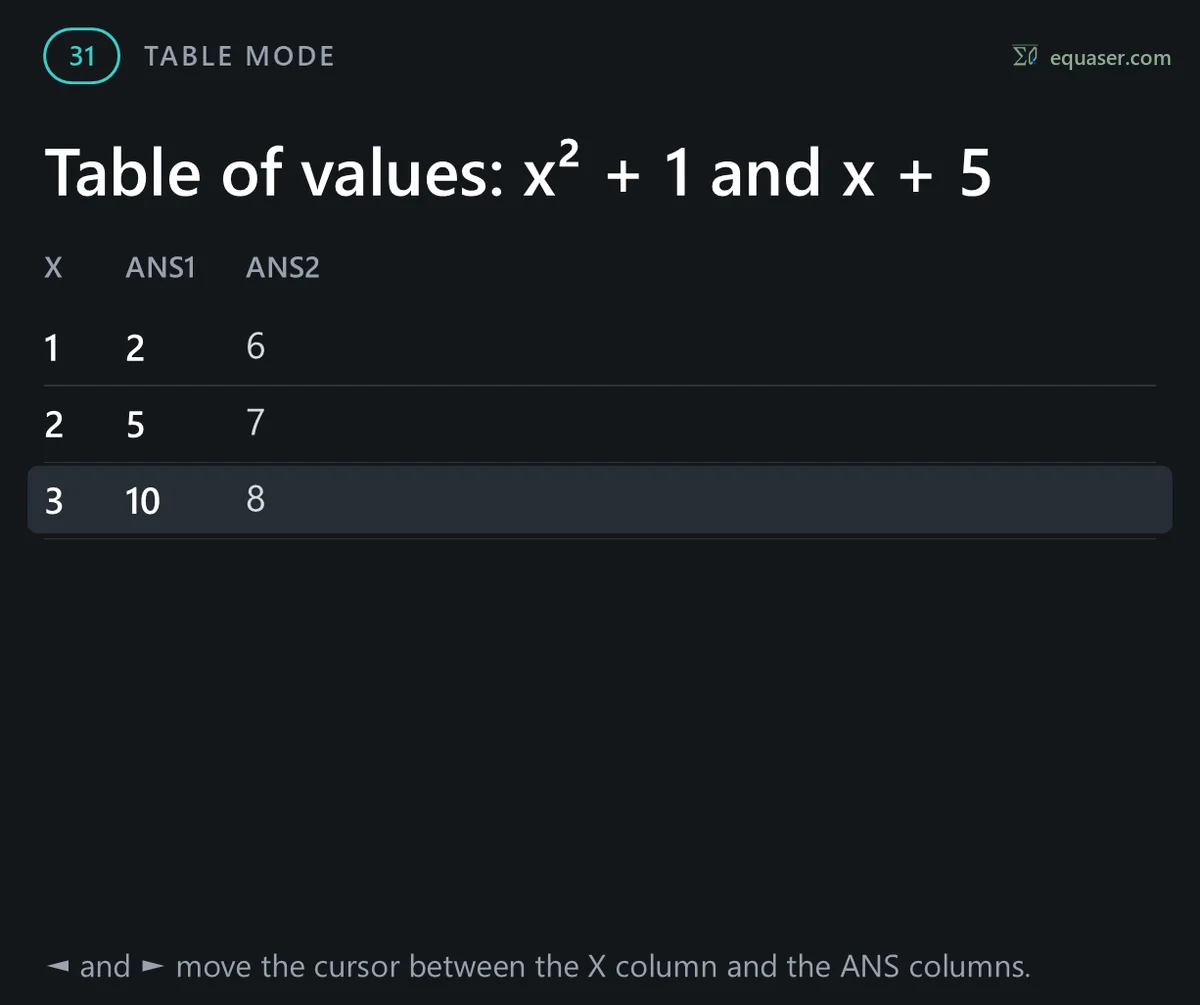
Example 31: TABLE mode. MODE then 2 makes a table of values: it lists the values of one or two functions of x.




EQUATION mode
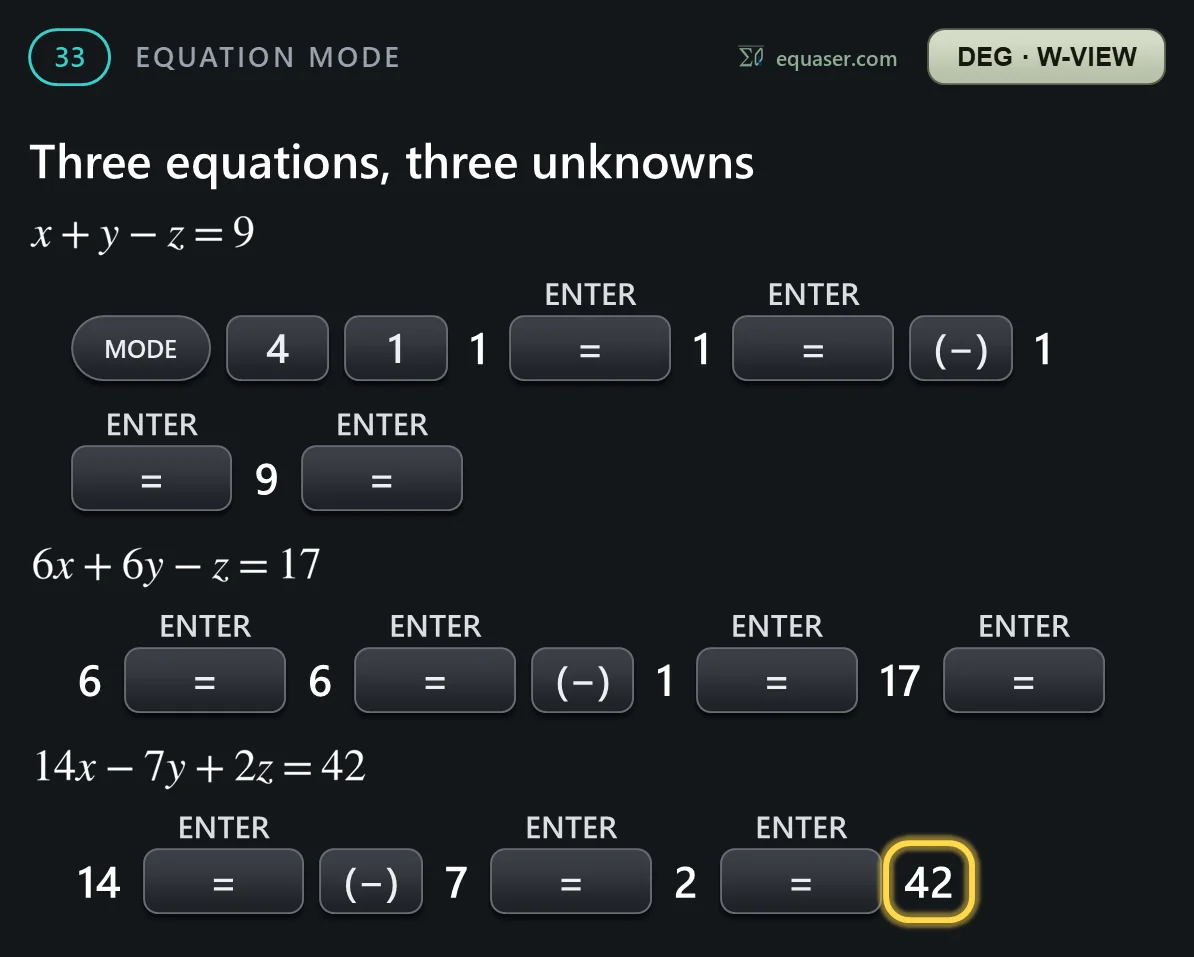
Example 33: EQUATION mode. MODE then 4 solves a system of equations: two or three linear equations that must be true together, also called simultaneous equations. It also solves quadratic equations and cubic equations.